This topic describes how to configure the Rebilly Instruments JS library to change the layout of elements.
Use the paymentInstrument.address property, in the RebillyInstruments.mount() function, to configure your address forms. If this option is not passed, the default Rebilly layout will be used.
For a complete list of options, see Rebilly Instruments reference.
import RebillyInstruments from '@rebilly/instruments';

RebillyInstruments.mount({
  publishableKey: 'pk_sandbox_123',
  organizationId: 'org-123',
  websiteId: 'my-website-id',
  apiMode: 'sandbox',
  paymentInstruments: {
    address: {
      name: 'combined',
      region: 'split',
    }
  }
});
| Name | Preview |
|---|---|
default |  |
stacked |  |
combined |  |
| Region | Preview |
|---|---|
default |  |
stacked | 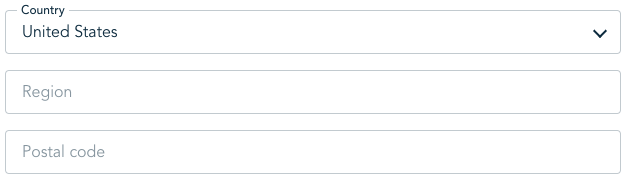 |
split |  |
To configure the payment card to be multiple inputs, use the paymentInstrument.paymentCard.input property, in the RebillyInstruments.mount() function.
To split the inputs provide the value split.
import RebillyInstruments from '@rebilly/instruments';

RebillyInstruments.mount({
  publishableKey: 'pk_sandbox_123',
  organizationId: 'org-123',
  websiteId: 'my-website-id',
  apiMode: 'sandbox',
  paymentInstruments: {
    paymentCard: {
      input: 'split',
    }
  }
});
| Input | Preview |
|---|---|
default |  |
split | 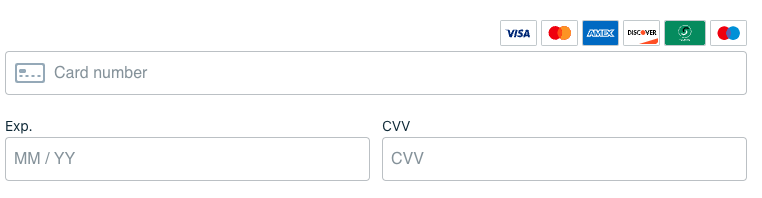 |
To configure whether coupons are available, use the features.showCoupons property in the RebillyInstruments.mount() function. By default coupons are not available, and the default value is null.
To specify where coupons are displayed, provide an array with one or more of the following keys.
| Key | Description |
|---|---|
summary | Displays the coupons within the summary details. |
confirmation | Displays coupons within the confirmation screen before the customer confirms their purchase details. |
import RebillyInstruments from '@rebilly/instruments';

RebillyInstruments.mount({
  publishableKey: 'pk_sandbox_123',
  organizationId: 'org-123',
  websiteId: 'my-website-id',
  apiMode: 'sandbox',
  features: {
    showCoupons: ['summary', 'confirmation'],
  }
});
Use the paymentInstrument.additionalFields property, in the RebillyInstruments.mount() function, to configure forms containing additional fields. If this option is not passed, the default Rebilly layout is used.
Only transactions of type purchase display additional fields.
For a complete list of options, see Rebilly Instruments reference.
import RebillyInstruments from '@rebilly/instruments';

RebillyInstruments.mount({
  publishableKey: 'pk_sandbox_123',
  organizationId: 'org-123',
  websiteId: 'my-website-id',
  apiMode: 'sandbox',
  paymentInstruments: {
    additionalFields: {
      show: ['poNumber'],
    }
  }
});